Sign PDFs and documents on your iPhone. Pay once.
Sign any PDF or document on your iPhone in seconds.
$9.99 once. No subscription, no account, nothing collected.
What’s on it
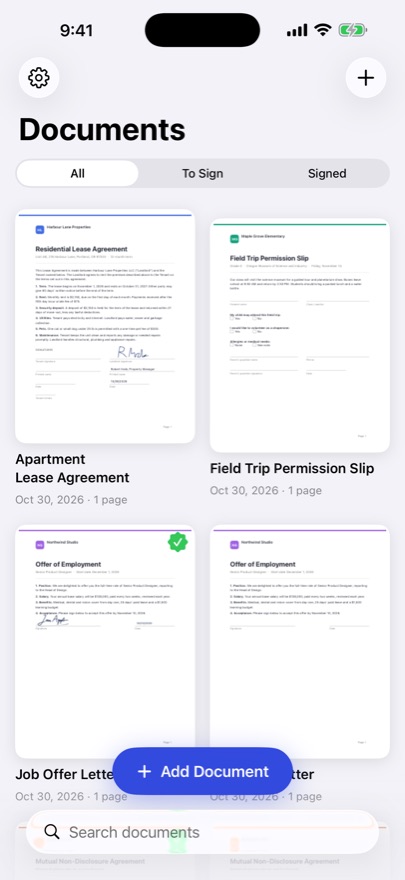
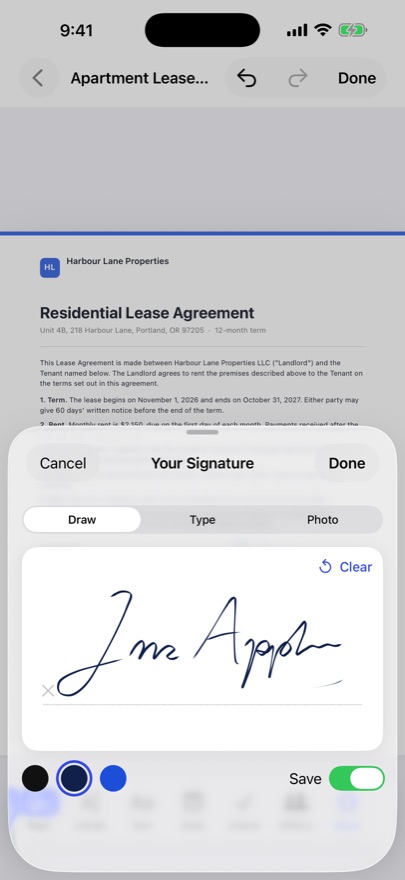
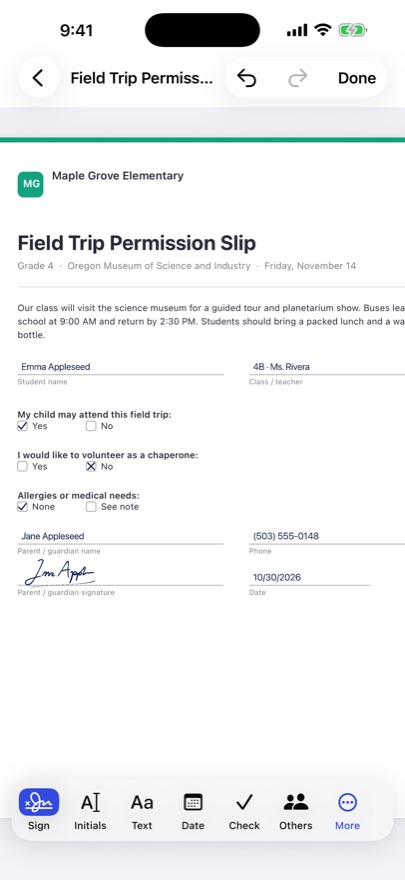
- A1Draw your signature once and reuse it, or type it, or photo it from paper
- A2Initials, text, dates, ticks and crosses exactly where you tap
- A3Initials on every page in one tap
- A4Opens PDF, Word, Excel, PowerPoint, photos and scans from your camera
- B1Fillable PDF forms keep their fields
- B2Hand your phone over so someone else can sign in person
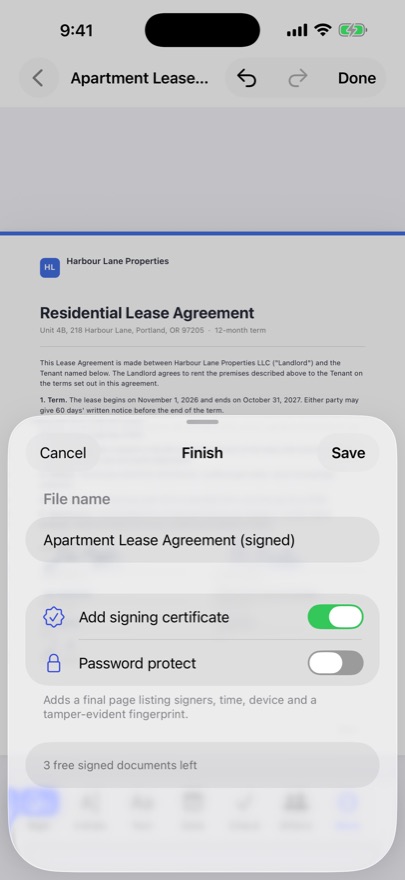
- B3Signing certificate with a tamper-evident fingerprint, optional password
- B4Share, email, print or save to Files; your original stays untouched
Inside the sleeve
The price, said plainly
First 3 signed documents free. Unlock Forever $9.99 once. No weekly fees, nothing renews, Family Sharing included.
- SignatureProPopular e-signature apps: weekly or monthly fees$9.99 onceout soon
Competitor prices from their App Store listings, checked November 2026.
Liner notes: how to sign a PDF on iPhone
- Open the document. From Mail, Files, Safari or a photo of the paper copy.
- Draw your signature once. It is saved, so next time it is one tap.
- Tap where it goes. Add your signature, initials, the date or a tick exactly where it is needed, or initial every page in one tap.
- Someone else signing?. Hand them your phone and they sign right there in person.
- Send it back. Email, share, print or save to Files. Your original stays untouched.
Privacy
Everything stays on your device. No account, no servers, no tracking. Documents are never uploaded.
Made for
Freelancers, landlords and renters, real-estate agents, small business owners, anyone who gets PDFs to sign.
Questions
How do I sign a PDF on my iPhone?
Open the PDF in SignaturePro, draw your signature once, tap where it goes and share the signed copy by email, Messages or Files. It takes about 30 seconds.
Is SignaturePro a subscription?
No. Your first 3 signed documents are free, then Unlock Forever is a single $9.99 payment with Family Sharing. Nothing renews.
Can it open Word documents and photos?
Yes. It opens PDF, Word, Excel and PowerPoint files, photos and scans from your camera.
Can someone else sign on my phone?
Yes. Hand over your iPhone and they sign in person, right there.
Are my documents uploaded?
No. Documents stay on your iPhone. No account, no ads and no data collected.